





Fullstack Laravel — Laravel 11, Vue.js 3 & MySQL
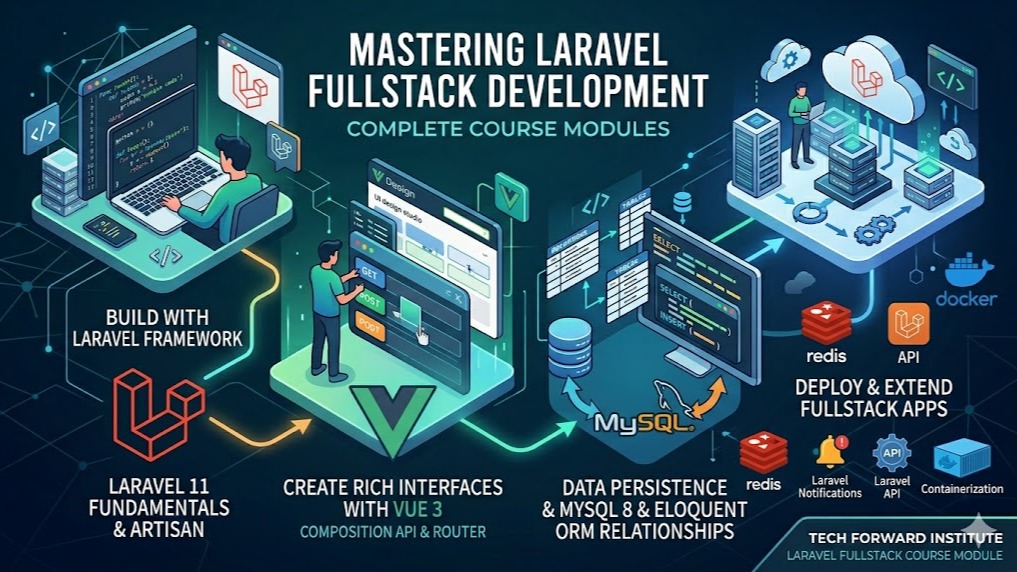
A 20-week beginner-to-advanced bootcamp building JobBoard Pro — a real job platform with Laravel 11, Vue.js 3 + TypeScript, and MySQL. Covers REST APIs, real-time notifications, testing, OWASP security, and live VPS deployment.
Rs. 40,000
Rs. 50,000Access
mobile and TV
Completion
Course Overview
This is a comprehensive, full-stack bootcamp where you will learn professional Laravel 11 back-end architecture, REST API design, Vue.js 3 with TypeScript, real-time features with Laravel Reverb and Echo, MySQL performance optimization, automated testing with Pest and Vitest, web security hardening, and live VPS deployment via SSH and Git. Every lesson is immediately applied to the same codebase, so by graduation, you have a single polished, production-deployed portfolio project on your own domain — not a folder of disconnected exercises. The curriculum has been through a full technical audit with 20 fixes applied, including Git from Day 1, a Service layer pattern, TypeScript-first Vue.js, proper API error handling, PrimeVue UI components, VeeValidate + Zod form validation, Meilisearch full-text search, separated testing and security modules, and a professional Git-pull deployment workflow.
A 20-week beginner-to-advanced bootcamp building JobBoard Pro — a real job platform with Laravel 11, Vue.js 3 + TypeScript, and MySQL. Covers REST APIs, real-time notifications, testing, OWASP security, and live VPS deployment.
Your Learning Journey
Our curriculum is researched, developed & updated by understanding the global scope & job demands. Conducted by industry-leading expert instructors, the program offers more than 85% of an in-depth practical approach backed by essential theoretical frameworks.
Everything You Receive
Live classes
Live classes and streaming
Recorded Videos
Get our streamed video
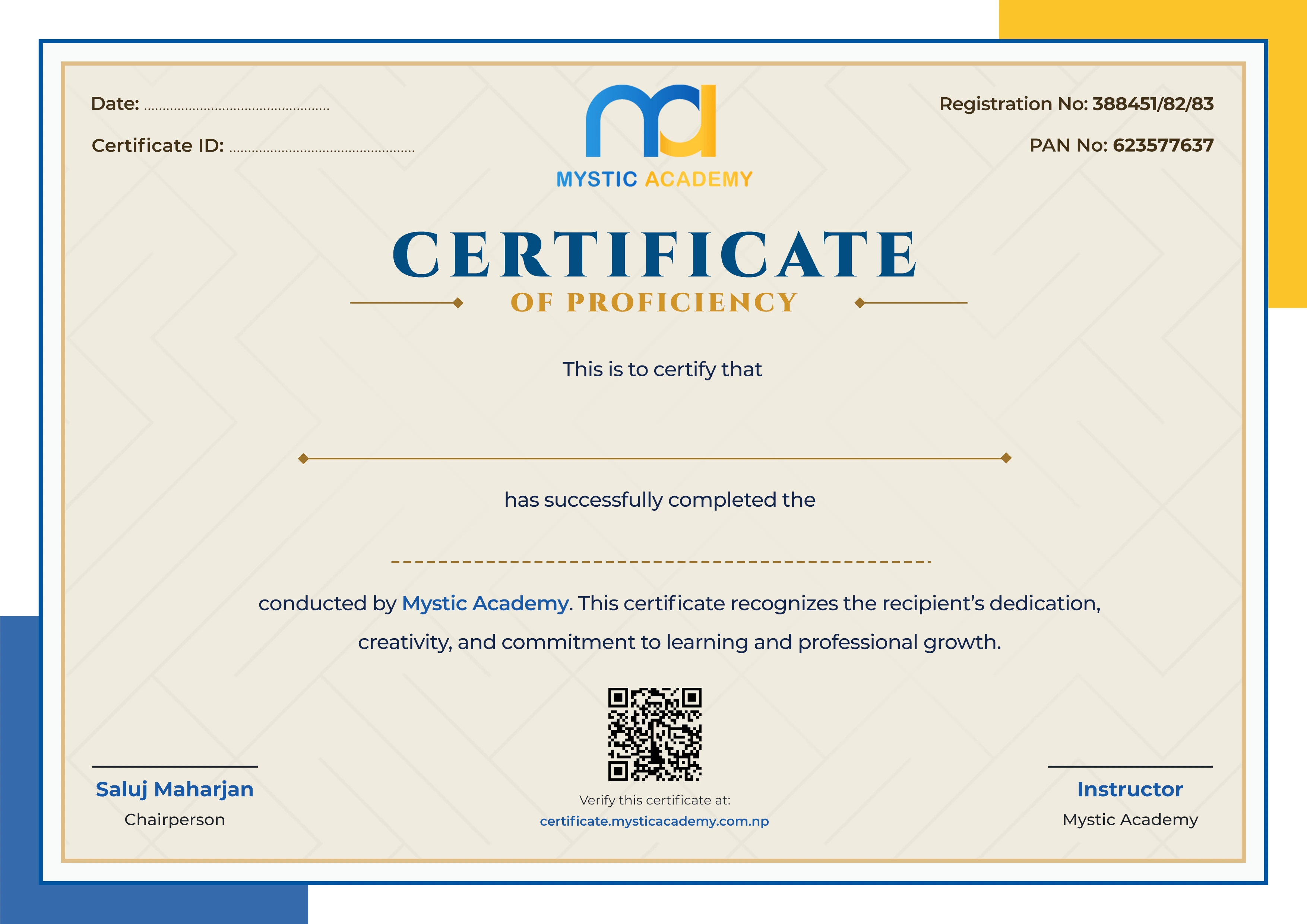
Certificate
Verified
Internship
Real-world experience
Course Curriculum
- Build the complete back-end foundation of JobBoard Pro. Covers Git from Day 1, PHP syntax and OOP, Laravel MVC architecture, .env configuration, Blade templating, MySQL schema design, Eloquent ORM with relationships and eager loading, database factories, the Service layer pattern for thin controllers, form validation, file uploads, and Tailwind CSS. Laravel Debugbar, Mailpit, and Telescope are installed immediately as dev tools.
- Weeks 1–3 · 30 hours · Project 1 — JobBoard: Full CRUD with Laravel + MySQL + Service Layer
Dev environment, Git & PHP
- Dev environment setup — VS Code, PHP, Composer, Node.js, Laragon/Herd
- Git fundamentals: init, add, commit, push, pull, branching, .gitignore — commit after every lesson
- GitHub account setup — push the first Laravel project on Day 1
- PHP syntax basics: variables, arrays, loops, functions, string & array helpers
- PHP OOP: classes, objects, constructors, inheritance (introduced gradually)
- Laravel project structure — artisan CLI, service container, facades overview
- .env vs config/ files — env(), config(), .env.example, why .env is in .gitignore
- Routing: web.php, named routes, route parameters, route groups, middleware stacks
- Controllers — resource controllers, request lifecycle
- Blade templating — layouts, components, @directives, slots
- Install Laravel Debugbar — reading query counts & request data from Day 2
- Install Mailpit/Mailtrap sandbox — see every email the app sends during dev
MySQL schema design & Eloquent ORM
- Relational design: tables, PKs, FKs, normalization, ERD for JobBoard
- Migrations and seeders — create, rollback, refresh
- Eloquent: CRUD, query builder, local scopes, accessors & mutators
- Relationships: hasOne, hasMany, belongsTo, belongsToMany — applied to JobBoard schema
- Eager loading with(), N+1 problem (spot in Debugbar, then fix it)
- Database factories with Faker — seed realistic job data
- Interfaces & traits introduced in context with Eloquent models
- Custom Artisan command: CloseExpiredJobs
Forms, validation, file uploads & service layer
- Form Requests, built-in validation rules, custom messages, error bags
- CSRF protection, old() input, flash messages
- File storage — local disk, public symlink, validated image uploads
- Service layer pattern: Controller → validates → calls JobService → returns result
- Thin controllers, fat services — applied to every JobBoard controller
- Tailwind CSS utility-first styling in Blade views
- Project build days (Thu–Fri) — build, review and Git-tag Project 1
- Use Git daily — commit, branch, push to GitHub throughout the course
- Build MVC Laravel apps with thin controllers and a Service layer
- Design relational MySQL schemas and write migrations
- Use Eloquent confidently including eager loading and relationships
- Debug queries visually with Debugbar and Telescope from day one
- Add complete authentication and role-based access control to JobBoard. Covers Laravel Breeze, email verification, password reset with Mailpit, social login via Socialite, Sanctum SPA cookie authentication, Gates, Policies, and a three-role system (Admin, Employer, Job Seeker) each with their own dashboard.
- Weeks 4–5 · 20 hours · Project 2 — JobBoard: Auth, Three-Role Dashboards & Access Control
Authentication with Breeze
- Laravel Breeze install — register, login, logout, email verification
- Password reset — full flow with Mailpit inbox verification
- Session handling, remember-me tokens, auth middleware
- Social login with Laravel Socialite (Google/GitHub)
- Sanctum SPA authentication (cookie-based) for Blade app — token auth deferred to Module 3
Authorization, roles & project build
- Gates — simple closure-based access checks
- Policies — model-bound authorization, @can in Blade
- Role-based access control: Admin, Employer, Job Seeker — role middleware per route group
- Three dashboards — each role sees only what it owns
- Project build days (Thu–Fri) — build, review and Git-tag Project 2
- Implement complete authentication with email verification and social login
- Control feature access per role using policies and gates
- Understand the difference between Sanctum SPA cookie auth vs token auth
- Build a fully versioned, production-quality REST API over the JobBoard codebase. Covers API Resource classes, versioning, Sanctum Bearer token authentication, a standardized JSON error handler for all HTTP error types, reusable Filter classes for query parameters, rate limiting, CORS, and full Postman documentation with environments and auth scripts.
- Weeks 6–8 · 30 hours · Project 3 — JobBoard REST API v1
REST principles, API Resources & error handling
- HTTP verbs, status codes, REST conventions — GET/POST/PUT/PATCH/DELETE
- API versioning — /api/v1 route structure
- API Resource classes — transforming Eloquent to JSON, conditional attributes
- Resource collections, nested resources, cursor + length-aware pagination
- Sanctum token-based auth — Bearer tokens for API routes
- API Exception Handler in bootstrap/app.php — JSON errors for all API routes
- Handle ModelNotFoundException (404), ValidationException (422), AuthorizationException (403) as JSON
- Standardized error response shape: {message, errors, status} applied everywhere
API filtering, security & Postman
- Query parameter filtering: ?category=dev&location=remote&salary_min=50000
- Filter classes pattern — clean, testable, reusable filter logic
- Sorting (?sort=salary&direction=desc) and full-text search (?search=laravel)
- Rate limiting with Throttle middleware, CORS configuration for Vue SPA domain
- Postman — environments, collections, pre-request auth scripts
- APP_DEBUG=false — what changes in API responses in production
Deepening & project build
- Hands-on practice: extend filters, add nested resource endpoints
- Review Sanctum token flow end-to-end with Postman
- Full error handler testing — assert correct JSON shape for all error types
- Project build days (Thu–Fri) — build, review and Git-tag Project 3
- Build a versioned REST API with clean error handling in every response
- Implement query filtering, sorting, and search as reusable Filter classes
- Distinguish Sanctum cookie auth (SPA) from token auth (API) confidently
- Document the full API in Postman with environments and auth scripts
- Rebuild the JobBoard front-end as a fully typed Vue 3 SPA consuming the REST API. Begins with a TypeScript fundamentals day, then covers the full Composition API, PrimeVue component library, VeeValidate + Zod form validation, Vue Router with typed routes, Pinia state management with persisted auth tokens, Axios with typed responses and interceptors, typed composables, and Vitest + Vue Test Utils for front-end testing.
- Weeks 9–12 · 40 hours · Project 4 — JobBoard Vue TypeScript SPA
TypeScript + Vue 3 core
- TypeScript fundamentals: types, interfaces, type inference, union types, generics basics
- Create Vue 3 project with Vite + TypeScript template — SFC structure
- Template syntax — v-bind, v-model, v-if, v-for, v-on
- Composition API — ref(), reactive(), computed(), watch(), watchEffect()
- Lifecycle hooks — onMounted, onUpdated, onUnmounted
- Components — defineProps<Props>(), defineEmits<Emits>(), slots
- Install PrimeVue — DataTable, Dialog/Modal, Toast, Select, Badge components
- Vue Transitions — <Transition> for route changes, <TransitionGroup> for job listing cards
Vue Router, Pinia, Axios & form validation
- Vue Router — typed route definitions, navigation guards, lazy-loaded routes
- Pinia — defineStore with typed state, getters, actions
- Persisting auth tokens with pinia-plugin-persistedstate
- Axios — typed responses, base URL, request/response interceptors, auth header injection
- Loading states, error handling, optimistic UI updates
- VeeValidate + Zod — schema-based form validation
- Displaying Laravel 422 validation errors inside VeeValidate field errors
Composables, advanced patterns & Vitest
- Composables — useAuth(), useJobs(), useFilters() — typed reusable logic
- Provide/Inject for deep component trees
- Debounced search, cursor-based pagination
- Vitest + Vue Test Utils — mount a component, simulate user interaction, assert DOM
- Test the JobCard component and useJobs composable
- Test a VeeValidate form — simulate input, trigger validation, check errors
Integration, polish & project build
- Connect full Vue SPA to the Laravel API — end-to-end flow testing
- Polish transitions, loading states, error boundaries
- Environment variables — VITE_ prefix, .env setup for API base URL
- Project build days (Thu–Fri) — build, review and Git-tag Project 4
- Read and write Vue 3 code in TypeScript — including official docs
- Build reactive, typed SPAs with Composition API and Pinia
- Validate forms with VeeValidate + Zod and display Laravel server errors inline
- Build polished UIs with PrimeVue components + Tailwind
- Write front-end component and composable tests with Vitest
- No new content. Dedicated week for consolidation after the four core modules. Instructor code reviews, student project polishing, Q&A on Modules 1–4, and catch-up time for any students who fell behind.
- Week 13 · 10 hours
- Add asynchronous and real-time capabilities to JobBoard. Covers the Laravel Events and Listeners system, database-driven queues with Supervisor, failed job handling, Mailable classes, the notification system (email + database channels), the Laravel Scheduler, Laravel Reverb WebSocket server, and Laravel Echo on the Vue side for live in-app notifications.
- Weeks 14–15 · 20 hours · Project 5 — JobBoard: Real-Time Notifications & Application Alerts
Events, listeners, queues & mail
- Laravel Events & Listeners — JobApplicationSubmitted event → queued listener
- One event → multiple independent listeners (email + notification + analytics)
- Queue drivers — database queue setup (no Redis required)
- Dispatching jobs, queue worker via artisan queue:work
- Failed jobs table, retries (--tries), job timeouts ($timeout property)
- Supervisor config — keeping the queue worker alive in production
- Laravel Scheduler — schedule CloseExpiredJobs command (built in Module 1)
- Mailable classes, Markdown mail templates, SMTP config
- Notification channels — database (in-app) and email
- Queued notifications, notification preferences per user
Real-time with Reverb, Echo & project build
- Laravel Reverb — native WebSocket server setup
- Broadcasting events (implements ShouldBroadcast)
- Public + private channels, channel authorization
- Laravel Echo in Vue — channel.listen(), live badge update in Pinia store
- Presence channels — online user tracking
- Handling reconnections and failed WebSocket connections
- Project build days (Thu–Fri) — build, review and Git-tag Project 5
- Use Events and Listeners to decouple side-effects from business logic
- Handle queue worker failures with retries, timeouts, and failed_jobs monitoring
- Build real-time UI updates with Reverb + Echo without polling
- Audit and optimize the full JobBoard codebase for production database performance. Covers reading EXPLAIN output, targeted indexing strategies, transactions and locking, Laravel caching with the file driver, cache invalidation patterns, and replacing the Scout database driver with Meilisearch for real typo-tolerant full-text search.
- Week 16 · 10 hours · Applied directly to the JobBoard codebase
Performance, caching & full-text search
- Reading EXPLAIN output — type, key, rows, Extra columns
- Index strategies — single, composite, covering indexes on JobBoard tables
- Transactions and locks — preventing double-applications and dirty reads
- CTEs, window functions, complex joins for analytics queries
- Cache drivers — file driver, remember(), cache invalidation patterns
- Cache heavy aggregate queries — job counts per category, featured listings
- Why the Scout database driver is just a LIKE wrapper — swap to Meilisearch
- Meilisearch cloud free tier — Scout driver swap in one config change
- Indexing the Job model, typo-tolerant fuzzy search, ranked results
- Audit all JobBoard queries with Telescope — fix remaining N+1s, add missing indexes
- Read EXPLAIN and make targeted indexing decisions
- Cache expensive queries and invalidate correctly
- Implement typo-tolerant full-text search with Meilisearch via Scout
- Write a comprehensive test suite for the entire JobBoard platform. Covers Pest feature tests for all three user roles across every critical API and web route, mocking mail, events, storage, and HTTP with fake helpers, code coverage reporting, Vitest and Vue Test Utils for component and composable testing, and the test-driven mindset.
- Week 17 · 10 hours · Full test suite for JobBoard (Laravel + Vue)
Pest, PHPUnit & Vitest
- Unit vs feature tests — when each is appropriate
- Pest syntax — it(), expect(), datasets, custom expectations
- RefreshDatabase, actingAs() per role — test all 3 roles on every critical endpoint
- assertDatabaseHas(), assertDatabaseMissing(), assertJson(), assertStatus()
- Mocking — Mail::fake(), Http::fake(), Storage::fake(), Event::fake()
- Test the full job application flow: seeker applies → employer notified → status updated
- Vitest + Vue Test Utils — mount(), simulate user interaction, assert DOM
- Test JobCard component — props in, DOM output asserted
- Test useJobs composable — mock Axios, assert state changes
- Running the full Pest + Vitest suite together, code coverage report
- Test-driven thinking: write the test before fixing a bug
- Write role-aware feature tests for all critical API and web routes
- Mock mail, events, and storage in tests without touching real services
- Test Vue components and composables with Vitest and Vue Test Utils
- Apply the OWASP Top 10 directly to the JobBoard codebase and harden it for production. Covers SQL injection, XSS, CSRF, mass assignment, broken auth, secure file uploads, login throttling, brute-force protection, secure HTTP headers, and building a reusable Production Deployment Checklist that students carry to every future project.
- Week 18 · 10 hours · Security audit of JobBoard + Production Checklist asset
OWASP hardening & production checklist
- SQL injection — how Eloquent protects, when whereRaw needs care
- XSS — Blade's automatic escaping, when {!! !!} is dangerous
- CSRF — how Laravel's token works, when to use @csrf, CSRF exceptions for APIs
- Mass assignment — $fillable vs $guarded, always use Form Requests (never $request->all())
- Broken auth — session fixation, invalidate session on privilege escalation
- Secure file upload validation — mime type, size, extension, store outside public
- Login throttling and brute-force protection with RateLimiter
- Secure HTTP headers — Content-Security-Policy, X-Frame-Options
- APP_DEBUG=false — verify no stack traces leak in API responses
- Walk the OWASP checklist through the entire JobBoard codebase — fix issues found
- Build the Production Deployment Checklist as a reusable course asset
- Identify and fix the OWASP Top 10 vulnerabilities in a real Laravel codebase
- Harden file uploads, rate limiting, and session management correctly
- Use the production checklist confidently before every future deployment
- Final buffer week before deployment. Students bring JobBoard Pro to portfolio quality with instructor code reviews, UI polish, README writing, and portfolio presentation preparation.
- Week 19 · 10 hours
- Deploy the complete JobBoard Pro platform — all five project layers — to a real VPS. Covers provisioning a VPS, setting up the full LEMP stack on Ubuntu, Nginx configuration for the Laravel API and Vue SPA, SSL with Let's Encrypt, and a professional Git-pull deployment workflow via SSH. FileZilla is taught as a secondary tool only. Students leave with a live, production-hardened portfolio project on their own domain.
- Week 20, Mon–Tue · 4 hours · Final — JobBoard Pro fully live on a real domain
Day 1 — Server setup & LEMP stack
- Provision a VPS (DigitalOcean/Hostinger) — SSH key auth, disable password login
- Install Nginx, MySQL, PHP-FPM — LEMP stack from scratch on Ubuntu
- Configure Nginx server block — Laravel API root + Vue SPA dist/ with HTML5 fallback
- Point domain DNS to server IP, SSL with Let's Encrypt + Certbot auto-renew
- Install Composer, Node.js, and PHP extensions on the server
Day 2 — Git-pull deployment & go live
- Primary deploy via SSH: git clone → composer install --no-dev → set .env → php artisan migrate --force → npm run build → storage:link → config:cache → route:cache
- Start queue worker with Supervisor
- Start Reverb WebSocket server with Supervisor
- FileZilla (SFTP) — secondary tool for file editing, not the deploy mechanism
- Walk the Production Checklist (built in M8) against the live server
- Smoke test every feature on the live domain
- Set up a LEMP stack on a fresh Linux VPS via SSH
- Deploy via git pull + artisan commands — the professional standard
- Configure production .env, cache layers, and Supervisor processes
- Go live with SSL, queue workers, WebSocket server, and Vue SPA together
FAQs
Mystic Academy offers IT training programs in Web Development, Graphic Design, and Basic Computer & MS Office at our institute in Kathmandu. All courses are open to students, professionals, and complete beginners — no prior experience needed.
Yes. Mystic Academy in Kathmandu welcomes learners of all backgrounds — students, working professionals, and career-changers — even with zero prior IT knowledge. Our courses range from beginner to advanced levels, so there is no technical background required to get started. During the free counseling session at our Kathmandu office, our team will assess your current level, interests, and goals to help you choose the most suitable course.
The duration varies by course. Most programs at Mystic Academy in Kathmandu are designed to be completed within 1 to 3 months — making them ideal for students on a break, professionals with a busy schedule, or anyone looking to gain a job-ready skill quickly.
You can enroll at Mystic Academy by sending your details via the inquiry form above, or by visiting our office at Falfulchowk, Sorakhutteu, Kathmandu. The enrollment process is simple — fill out a form and pay the advance fee. Our team will guide you through everything from there.
Completing IT training at Mystic Academy in Kathmandu gives you practical, hands-on skills that complement further studies in Computer Science or Information Technology — and provide a direct career advantage in Nepal's growing tech industry. Whether you are a student continuing to higher education or a professional switching careers, the skills you build here translate directly to real-world results.
A certificate from Mystic Academy in Kathmandu carries real weight in Nepal's IT job market. Our certifications are verifiable and recognized by industry partners both locally and internationally. Whether you are applying for a job in Nepal or abroad, your Mystic Academy certificate validates the practical skills and real-world projects you completed during your training.
Absolutely. At Mystic Academy in Kathmandu, anyone can start learning basic IT and AI skills from scratch — no prior knowledge or technical background needed. Our instructors guide every learner step by step from the very beginning.
At Mystic Academy in Kathmandu, we recommend all new learners start with: Computer Basics, Programming fundamentals (Python is most common for AI), Basic math and logic, and Internet and digital tools. Our beginner courses in Nepal are structured to build these foundations from scratch — regardless of your age or background.
You can start with basic programming, data handling, problem solving, and understanding how AI tools work.
Technology is everywhere. IT and AI skills help anyone — regardless of age or background — get better jobs, work remotely, and build solutions for real problems. For learners in Nepal, these skills open doors to both local opportunities and international careers.
Available Batches
Coming Soon
We're currently scheduling new batches. Stay tuned!
FAQs
Mystic Academy offers IT training programs in Web Development, Graphic Design, and Basic Computer & MS Office at our institute in Kathmandu. All courses are open to students, professionals, and complete beginners — no prior experience needed.
Yes. Mystic Academy in Kathmandu welcomes learners of all backgrounds — students, working professionals, and career-changers — even with zero prior IT knowledge. Our courses range from beginner to advanced levels, so there is no technical background required to get started. During the free counseling session at our Kathmandu office, our team will assess your current level, interests, and goals to help you choose the most suitable course.
The duration varies by course. Most programs at Mystic Academy in Kathmandu are designed to be completed within 1 to 3 months — making them ideal for students on a break, professionals with a busy schedule, or anyone looking to gain a job-ready skill quickly.
You can enroll at Mystic Academy by sending your details via the inquiry form above, or by visiting our office at Falfulchowk, Sorakhutteu, Kathmandu. The enrollment process is simple — fill out a form and pay the advance fee. Our team will guide you through everything from there.
Completing IT training at Mystic Academy in Kathmandu gives you practical, hands-on skills that complement further studies in Computer Science or Information Technology — and provide a direct career advantage in Nepal's growing tech industry. Whether you are a student continuing to higher education or a professional switching careers, the skills you build here translate directly to real-world results.
A certificate from Mystic Academy in Kathmandu carries real weight in Nepal's IT job market. Our certifications are verifiable and recognized by industry partners both locally and internationally. Whether you are applying for a job in Nepal or abroad, your Mystic Academy certificate validates the practical skills and real-world projects you completed during your training.
Absolutely. At Mystic Academy in Kathmandu, anyone can start learning basic IT and AI skills from scratch — no prior knowledge or technical background needed. Our instructors guide every learner step by step from the very beginning.
At Mystic Academy in Kathmandu, we recommend all new learners start with: Computer Basics, Programming fundamentals (Python is most common for AI), Basic math and logic, and Internet and digital tools. Our beginner courses in Nepal are structured to build these foundations from scratch — regardless of your age or background.
You can start with basic programming, data handling, problem solving, and understanding how AI tools work.
Technology is everywhere. IT and AI skills help anyone — regardless of age or background — get better jobs, work remotely, and build solutions for real problems. For learners in Nepal, these skills open doors to both local opportunities and international careers.
Available Batches
Coming Soon
We're currently scheduling new batches. Stay tuned!
Locate us
Earn a Certificate on completion
Upgrade your skill and get verified certificates that are recognized by top companies. These certificates help you showcase your expertise and enhance your professional profile.
Already earned a certificate? Verify it here
Similar Courses
Explore other programs that might interest you

Quick Inquiry
Choose Class Schedules :
Notification
Message goes here.